Some games are simply better with a second person. Whether a friend is sitting next to you or playing from their own computer, a quick head-to-head match is one of the easiest ways to share a laugh, settle a rivalry, or kill ten minutes at lunch. Every game on this list runs free in your browser on HopArcade, so there is nothing to download or install. We have split the picks into two groups: games you can play on one keyboard, and games you play online with friends on separate devices.
How we picked these games
We only included games that genuinely support two or more human players. For each one we note how the mode works (same keyboard, co-op, or online) and the controls. Single-player games against the computer did not make the cut.
Same-keyboard 2 player games
These games let two people share one computer. Player 1 usually takes the left side of the keyboard (WASD) and Player 2 takes the arrow keys. A desktop or laptop keyboard works best, since phones and tablets can't split controls between two people.
Basketball Stars
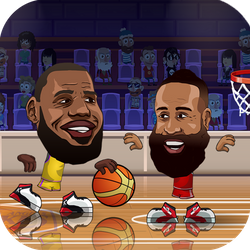
Basketball Stars is a fast one-on-one basketball game. From the main menu you can choose 1 Player to face the computer or 2 Players to challenge a friend on the same keyboard. One player uses the arrow keys with X and Z, and the other uses WASD with L and K. One button shoots or steals, and the other fires a supershot. Pump-fakes, blocks and steals matter as much as shooting. If you only try one game from this list, make it this one.
Head Soccer 2023
Head Soccer 2023 is big-head football in short, chaotic matches. Pick 2P Versus to play a friend: Player 1 moves with W, A and D and shoots with N or M, while Player 2 uses the arrow keys and shoots with 1 or 2. You attack and defend a single goal each, so timing your jumps and headers decides most games. There is also a 1P Arcade mode if you want to practise alone first.
Super Soccer Noggins
Super Soccer Noggins is another head-soccer game, with one big difference: you pick a national team before kickoff. Choose Local 2 Players, then the left player uses WASD and the right player uses the arrow keys. It pairs nicely with Head Soccer 2023 for a mini tournament.
Sky Bros - 2 Players
Sky Bros is a party game built entirely around two players. It contains four quick mini-games, including Archery, plus a shuffle mode that mixes them up. Each player has just one button: Player 1 presses W and Player 2 presses the Up Arrow. The simple controls make it ideal for younger or casual players.
Hackers vs Impostors
Hackers vs Impostors is co-op, not a duel. Two crewmates share one keyboard: Blue uses WASD and Red uses the arrow keys. Each level is split into connected rooms full of coins, spinning saws and impostors. Each player must stomp the impostor that matches their own colour, so you both have to finish your part. Talk to your partner and plan your moves together. One person can try to control both characters, but it is much harder.
Online games to play with friends
If your friend is somewhere else, these multiplayer games connect you through the developers' servers. They need a stable connection, and school or office networks sometimes block game servers even when the page itself loads.
Smash Karts
Smash Karts is an online kart battle game, not a race. You drive around a compact arena, grab mystery boxes for random weapons and try to knock out other players. Press Play to jump into a public match, or use Create and Join from the menu to set up a room so you and your friends end up in the same game.
Shell Shockers
Shell Shockers is an online first-person shooter where every player is an egg. Pick a weapon and a mode before you join a match. The official menu offers Free For All, Teams, Captula the Spatula and King of the Coop. Teams and the two objective modes are the best fit for playing alongside friends, because they reward sticking together rather than just chasing kills.
1v1.LOL
1v1.LOL mixes shooting with fast building. You can place walls, floors, ramps and cones to win fights. Choose a mode in the lobby and press Play. The 1v1 Clash mode is built for duels, while Free Build in Practice lets you learn the building keys first. Matchmaking depends on the community servers, so queue times can vary.
Tips for better two-player sessions
- Click inside the game first. Browser games only receive keys after the game window has focus. If one player's keys don't respond, click the game frame and try again.
- Use a full-size keyboard. Two people on a small laptop keyboard will bump hands. An external keyboard gives you more room.
- Go fullscreen. Most games on HopArcade have a fullscreen button, which makes the play area bigger for both of you.
- Play a best-of-three. Short matches feel fairer when the winner is decided over several rounds.
Looking for more? Browse our sports games for more head-to-head matches, or check out our list of the best IO games for more online multiplayer action.