
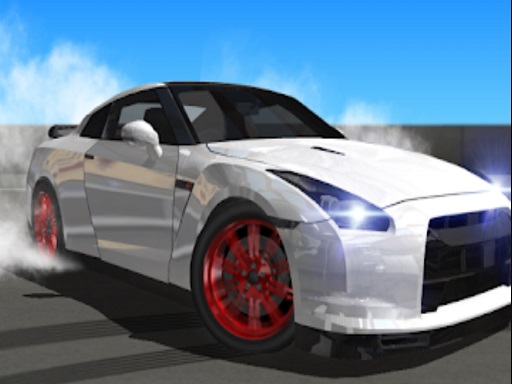
Drifting is a three-dimensional driving game with a vehicle garage and a track-selection screen. Choose the starter car, enter the first circuit, and get used to how it turns before pushing for a faster run. This is a change of pace from Moto X3M: you follow a road from behind the car rather than balancing a motorcycle across a side-view obstacle course.
About Drifting
Drifting starts in a garage where the available vehicle is shown on a platform. The selection screen displays separate speed, braking, and nitro ratings, and the next step lets you choose a track. The first circuit preview shows a paved route with a broad corner, giving you a useful place to learn the steering before exploring more of the game.
Begin with the starter vehicle and concentrate on keeping it on the road. A good corner starts before the car reaches the bend. Notice the direction of the route ahead, reduce an overly fast approach, and use smaller corrections rather than reacting only when the barrier is close.
Driving from behind the car changes the way you judge distance. Look through the turn instead of watching only the bumper. If you leave the useful line, recover control before asking the car to accelerate harder. Repeating a familiar section makes it easier to separate a steering mistake from an approach-speed mistake.
The garage and track menus make this a different experience from a one-button drifting game. Take time to learn the currently selected car instead of assuming every vehicle will respond identically. On HopArcade, the page uses the game’s displayed title, Drifting; the supplier catalog labels this version Drift Boss Supercar. The instructions here describe the three-dimensional track game actually loaded in the browser.
How to Play Drifting
- Drive with WASD!
Controls
| Key | Action |
|---|---|
| W A S D | Drive the car |
FAQ
Is this Drift Boss?
No. This page loads a 3D track-driving game with a garage and track select. The displayed title is Drifting; the supplier catalog labels it Drift Boss Supercar—not the one-button top-down Drift Boss.
How do I start driving?
Pick a vehicle in the garage, choose a track, press Start, then drive with WASD.
What are the controls?
WASD only on this page’s control list—W/S for throttle/brake style driving and A/D to steer. Learn the selected car before assuming every vehicle feels the same.
Does it have multiple cars and tracks?
Yes. The garage shows speed, braking and nitro ratings per vehicle; then you pick a track. The first circuit preview is a paved route with a broad corner for learning.
How do I handle corners smoothly?
Look through the bend, slow an overly fast approach, use smaller steering corrections, and regain control before accelerating harder.
Should I floor it out of the garage?
No. About text says begin with the starter vehicle and stay on the road—separate steering mistakes from approach-speed mistakes by repeating a familiar section.
What do the garage ratings mean?
The selection screen shows separate speed, braking and nitro ratings so you can compare cars before a run. Higher power still needs clean corner entry.
Is the camera behind the car?
Driving from behind the car changes distance judgement—look through the turn instead of only watching the bumper, as the About section advises.
Why is this not like Drift Hunters?
Drift Hunters is a different HopArcade game focused on scoring long drifts with upgrades. Drifting here is a 3D circuit/garage driving embed with WASD—don’t mix their guides.
Can I play Drifting unblocked at school?
Free WASD browser driving game with no download. Loads when HopArcade is allowed.


Comments (0)
Join the conversation
Log in to share tips about this game.
No comments yet. Be the first to share a tip!