
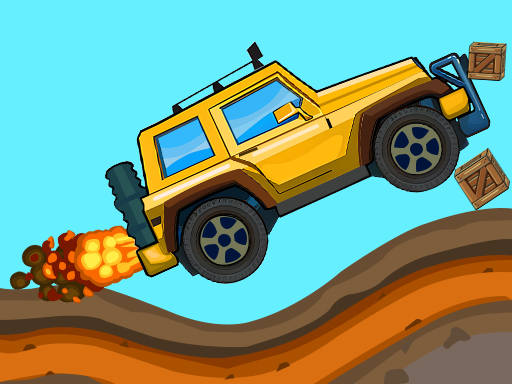
Hill Climb Truck Transform Adventure mixes side-view driving with choosing a useful vehicle form. Watch the track ahead and adapt to the next obstacle. The colourful course makes it a lighter companion to the Moto X3M stunt games and Mad Racing hill routes.
About Hill Climb Truck Transform Adventure
A good run starts with reading the terrain. Hills change the direction of the truck, and objects on the road can interrupt a straightforward drive. Instead of reacting only when the vehicle reaches an obstacle, look a little farther ahead and decide how you want to approach it. A small change at the right moment is often easier to control than a rushed correction.
The transformation mechanic gives this driving game its own identity. Follow the controls and prompts shown inside the game to select the form suited to the current stretch. Return your attention to the road after each change: a vehicle choice does not remove the need to manage momentum and judge the next slope. If an attempt goes wrong, use the next run to test a different timing rather than repeating the same action automatically.
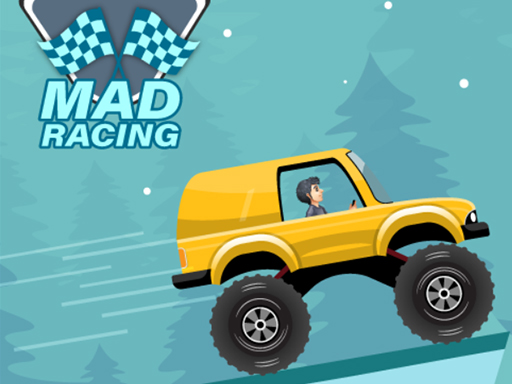
The bright side view makes this a useful alternative when you want a vehicle game without a realistic cockpit. Players familiar with Moto X3M will recognise the need to read ramps and landings, while the truck theme and changing forms add another decision to the route. Mad Racing is another nearby choice if you want to concentrate on hill driving alone.
Take the early course as a practice area. Learn where each driving control sits, see how quickly the truck responds, and only then try to move through obstacles faster. The supplier may show an advertisement before a round or after a restart. Wait for the play area to return, then continue from the game menu. A steady approach helps you understand the course and makes later attempts more deliberate.
How to Play Hill Climb Truck Transform Adventure
- Click Start to enter Level 1.
- Use W to drive and A/D to tilt, as labeled on the on-screen controls.
- Press E to transform; the on-screen Q button is labeled with the booster icon.
Controls
| Key | Action |
|---|---|
| W | Accelerate |
| A D | Tilt the vehicle |
| E | Transform the vehicle |
| Q | Use the booster |
FAQ
What makes this different?
You drive a side-view truck course and can change vehicle form to suit obstacles—transformation is an extra decision beside speed and balance.
What are the controls?
W accelerate, A/D tilt, E transform, Q booster—as labeled on the page and on-screen prompts. Read in-game labels before Level 1.
What should I do when stuck on an obstacle?
Watch the terrain before you reach it and change approach or transformation timing on the next attempt. A new form still needs good momentum and balance.
When should I transform?
When the upcoming obstacle clearly favours another form—don’t spam E mid-landing. Decide a little ahead, as the About text advises reading terrain early.
What does the booster do?
Q (on-screen booster icon) gives a boost. Save it for climbs or recoveries where throttle alone is not enough, rather than burning it on flat ground.
Why do I flip even after transforming?
Form changes do not remove physics—too much speed into a crest still overturns. Tilt with A/D to keep the truck stable after the swap.
How do I start?
Click Start to enter Level 1, then use the documented keys / on-screen buttons for drive, tilt, transform and boost.
Is this the same as Mad Racing: Hill Climb?
No. Mad Racing uses on-screen pedals without a transform key; this adventure adds E transform and Q boost on a truck course.
Should I look ahead?
Yes. About text says a small change early is easier than a rushed correction at the obstacle—plan tilt/transform before you arrive.
Can I play this unblocked at school?
Free browser transforming-truck hill climb with no download. Loads when HopArcade is allowed.







Comments (0)
Join the conversation
Log in to share tips about this game.
No comments yet. Be the first to share a tip!