
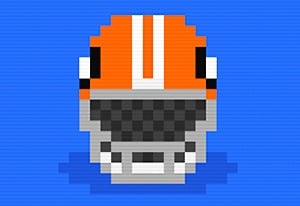
Play Retro Bowl unblocked in your browser with no download. This pixel-art American football game combines offensive drives with team management. Pick your passing opportunities and lead a struggling club toward the championship. Between matches, build a roster that can turn a promising season into a winning one.
About Retro Bowl
Retro Bowl puts two jobs in your hands: head coach on the sidelines and playmaker when your team has possession. Its pixel-art presentation is simple to read, but every drive asks you to balance risk, field position and the remaining clock. A short completion can be more useful than a spectacular throw if it earns the next first down.
On offense, watch the receiver routes before committing to a pass. Holding the ball too long gives defenders time to close in, while throwing into a crowded lane can end a promising possession. The opposing drives are simulated, so your opportunities with the ball matter.
Away from the field, the roster and front office add another layer of decisions. Consider player quality, morale and the resources available to your club rather than judging every choice by the next match alone. Start a new coaching career, follow the tutorial if you are learning the controls, then use Continue to reach your next fixture. This browser edition runs directly on the page without a separate download.
How to Play Retro Bowl
- Create or continue a career, choose your team, and follow the opening coach tutorial. Use the mouse to select menus, players and match options.
- To pass, click and drag in the opposite direction from your intended receiver. Adjust the dotted aiming path, then release to throw; lead moving receivers so they can reach the ball.
- For a running play, click the blue circle under the running back before the snap. The ball carrier runs automatically; press W or S to side-step up or down and avoid defenders.
- To run with the quarterback, aim a throw backwards and release. While carrying the ball, use A or D to dive or slow down according to the direction of attack. In the leftward tutorial, A dives and D slows the runner.
- When kicking, click once to set power on the moving meter, then click again to set the direction of the swinging arrow. Aim through the goal posts; the faint triangle on the field helps you line up the kick.
Controls
| Key | Action |
|---|---|
| Mouse drag / Release | Aim and throw a pass |
| Mouse click | Choose menus, hand off at the blue circle, and set kick power and direction |
| W / S | Side-step up or down while carrying the ball |
| A / D | Dive or slow down according to the direction of attack |
Tips and Tricks
- Short, safe passes add up. Forcing a long throw into coverage is the fastest way to lose the ball.
- Read the down and distance before snapping the ball. A modest gain that earns a first down keeps your drive alive.
- Keep an eye on the clock late in each half. Decide whether you have time to build a drive before choosing a risky long pass.
FAQ
How do I throw a pass?
Click and drag in the opposite direction from your intended receiver, then release. Adjust the dotted aiming path before you throw, and prefer short safe completions when you need a first down.
Can I control the defense?
No. Defense is simulated—you only take control when your team has the ball (plus kicks/returns as the embed allows).
How do I get more coins / credits?
Win games and raise fan rating (community tips cite better per-game coin payouts at higher fan tiers). When players are fully maxed, further XP often converts to coins; also take coin rewards from meetings when offered. Exact menus vary by build—use what this embed shows.
Does my career save?
Yes—you can create or continue a career after the game loads. Progress is stored with the browser embed; clearing site data can wipe a saved career.
What are the on-field controls?
Mouse aims and throws passes; click menus, hand off at the blue circle, and set kick power/direction. While carrying the ball, W/S side-step and A/D juke/dive per the on-page control list.
Should I force deep throws?
Usually no. Page tips say short, safe passes add up—forcing a long ball into coverage is the fastest turnover. Read down and distance before the snap.
What makes a good QB?
Community/wiki priority is Accuracy, Arm Strength and Stamina (with Speed for scrambling). You only roster one active QB, so upgrading that spot matters most.
Is this single-player?
Yes—Retro Bowl is a single-player coaching/playing career. You manage the roster between games and control offense during matches.
Can I play without downloading?
Yes. This page loads the browser edition in an embedded player—click Play Retro Bowl, wait for it to finish loading, then start or continue a career.
Can I play Retro Bowl unblocked at school?
If HopArcade is allowed, the browser career loads with no separate install. School filters that block game sites will prevent it from opening.


Comments (0)
Join the conversation
Log in to share tips about this game.
No comments yet. Be the first to share a tip!