
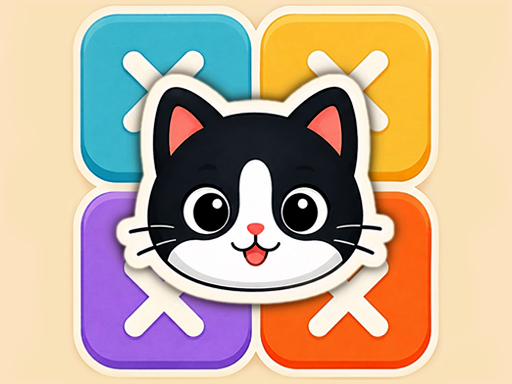
Meow Sudoku is a free HTML5 cat logic puzzle by Inlogic Software (via GameMonetize). It plays like the popular Meowdoku / cat-sudoku family — not classic number Sudoku and not the official Oakever Games Meowdoku mobile app. Place cats on a colored grid so every row, column, and color region has exactly one cat, with no diagonal touching.
About Meow Sudoku
Meow Sudoku is a free HTML5 cat logic puzzle by Inlogic Software (via GameMonetize). It plays like the popular Meowdoku / cat-sudoku family — not classic number Sudoku, and not the official Oakever Games Meowdoku mobile app. Instead of filling digits 1–9, you place cats on a colored grid so every row, every column and every color region holds exactly one cat, and no two cats may touch — not even diagonally.
That adjacency rule is what separates it from HopArcade’s classic number Sudoku (sudoku-classic-minimalism). Each placement bans its whole row and column plus all eight neighboring cells, so spatial deduction matters as much as line logic. Boards are solved by elimination, much like a game of Minesweeper: mark impossible cells, force the next single-candidate region or line, and advance through tougher levels. GameMonetize’s listing also notes power-ups that can place a cat instantly or reveal which color blocks you can discard when you are stuck.
The game is mobile-ready HTML5 (listed 600×800) and runs in the browser with mouse or touch — fine for a Chromebook break. Because it is served through GameMonetize, short ad overlays may appear before or between levels; we call that out honestly and will confirm behavior when the embed is live. Enjoy a Meowdoku-like cat sudoku experience here without claiming the Oakever title.
How to Play Meow Sudoku
- Study the colored regions on the grid. Each color gets **exactly one** cat.
- Place cats so each **row** and each **column** also has exactly one cat.
- Never let two cats touch — edge or **diagonal** neighbors are both illegal.
- After every placement, mentally (or with marks) clear the rest of that row, column and the eight cells around the cat.
- Prefer forced moves: start with the color region that has the fewest legal cells left.
- When stuck, use the in-game power-ups: one can place a cat for you; another highlights color blocks you can discard.
- Clear the board with pure logic — guessing is rarely required on a well-formed puzzle — then move to the next level.
Controls
| Key | Action |
|---|---|
| Click / tap a cell | Select or place a cat (follow on-screen prompts; some builds cycle mark → cat → clear) |
| Mouse drag / finger | Navigate larger boards on small screens |
| Power-up buttons | Instantly place a cat, or reveal discardable color blocks (per GameMonetize instructions) |
| On-screen UI | Undo / reset / next level where provided by the Inlogic build |
| Touch | Fully playable on phones, tablets and Chromebooks (Mobile Ready: Yes) |
| HUD / hotkeys | Exact button labels can vary slightly by portal skin; use the visible HUD if a hotkey is not shown. |
Tips and Tricks
- Start with the **most restricted** color region (fewest legal cells), not merely the visually smallest blob.
- Always apply the **diagonal** ban. Forgetting corner-touch is the #1 beginner mistake in Meowdoku-style puzzles.
- After each cat, wipe its row, column and eight neighbors before scanning again — missed exclusions hide the next forced cell.
- Lock patterns: if every remaining candidate of a color sits in one row, that region claims that row; mark other cells in the row outside the region as impossible.
- Scan for single remaining candidates in every row and column after each move.
- Save power-ups for genuine stalls, not the first hesitation — deduction usually unlocks the next cat.
- Expect possible GameMonetize ads around level transitions; mute the tab if needed and continue after the overlay.
FAQ
How do you play Meow Sudoku?
Place exactly one cat in every colored region, every row and every column so that no two cats touch — including diagonally. Use elimination and power-ups to finish each level.
Is Meow Sudoku the same as official Meowdoku?
No. This page embeds Inlogic Software’s **Meow Sudoku** HTML5 title via GameMonetize. It is a Meowdoku-*like* / cat sudoku logic puzzle. It is **not** the official Oakever Games Meowdoku app on Google Play.
Is Meow Sudoku the same as classic number Sudoku?
No. Classic Sudoku fills every cell with digits 1–9. Meow Sudoku places a smaller set of cats using color regions plus a no-touch rule. HopArcade’s number Sudoku lives on a separate page (sudoku-classic-minimalism).
Can cats touch diagonally in Meow Sudoku?
No. Diagonal contact counts. A placed cat blocks all eight neighboring cells, not only the four that share an edge.
What is the goal of each Meow Sudoku level?
Fill the board so every row, column and color region has exactly one cat and no adjacency conflicts. Then advance through further levels that test spatial perception and planning.
What do the power-ups do?
Per the GameMonetize listing: one power-up can instantly place a cat; another reveals which color blocks you can discard. Use them when deduction stalls, then resume marking forced cells.
Do I need to guess to solve a board?
Well-formed Meowdoku-style boards are solvable by pure deduction. If you feel stuck, re-check the most restricted region and diagonal exclusions before spending a power-up or guessing.
How is Meow Sudoku different from LinkedIn Queens / Queens puzzles?
Queens-style puzzles use the same core idea (one piece per row, column and region, no touching). Meow Sudoku dresses that logic in cats and colored regions and adds Inlogic’s level/power-up loop. Rules feel familiar if you already play Queens or Star Battle variants.
Does Meow Sudoku work on mobile and Chromebook?
Yes. The GameMonetize page marks it Mobile Ready HTML5. Open it in a modern browser with mouse or touch — no download required.
Will I see ads in Meow Sudoku?
Possibly. GameMonetize HTML5 embeds often show short ad overlays. We note that upfront; exact timing will be confirmed when the live embed is tested on HopArcade.
What should I do when I get stuck?
Scan the color region with the fewest legal cells, update every exclusion (row, column, eight neighbors), then look for a row/column/region with a single remaining candidate. If a region’s candidates all sit in one line, lock that line and prune elsewhere.
Is Meow Sudoku unblocked for school?
HopArcade loads the GameMonetize HTML5 embed in the browser, which works on many school Chromebooks when gaming domains are allowed. No install is required.








Comments (0)
Join the conversation
Log in to share tips about this game.
No comments yet. Be the first to share a tip!